
This article pertains to all employees in Canada and the United States using Windows 10 and want to adjust power and sleep settings and choose or customize a power plan.
Adjust Power and Sleep Settings
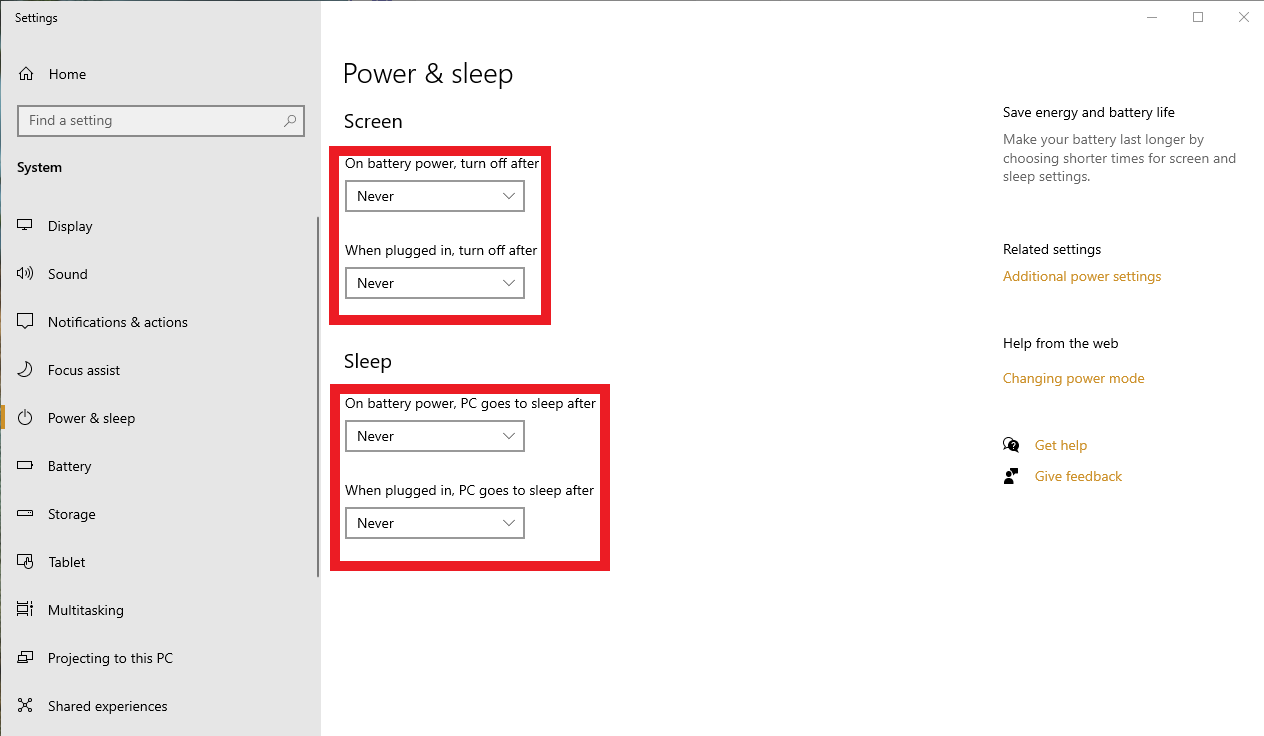
- To adjust power and sleep settings in Windows 10, go to Start , and select Settings > System > Power & sleep.
- Under Screen, select how long you want your device to wait before turning the screen off when you're not using your device.
- Under Sleep, select how long you want your device to wait before going to sleep when you’re not using it.
To Choose and Customize a Windows 10 power plan
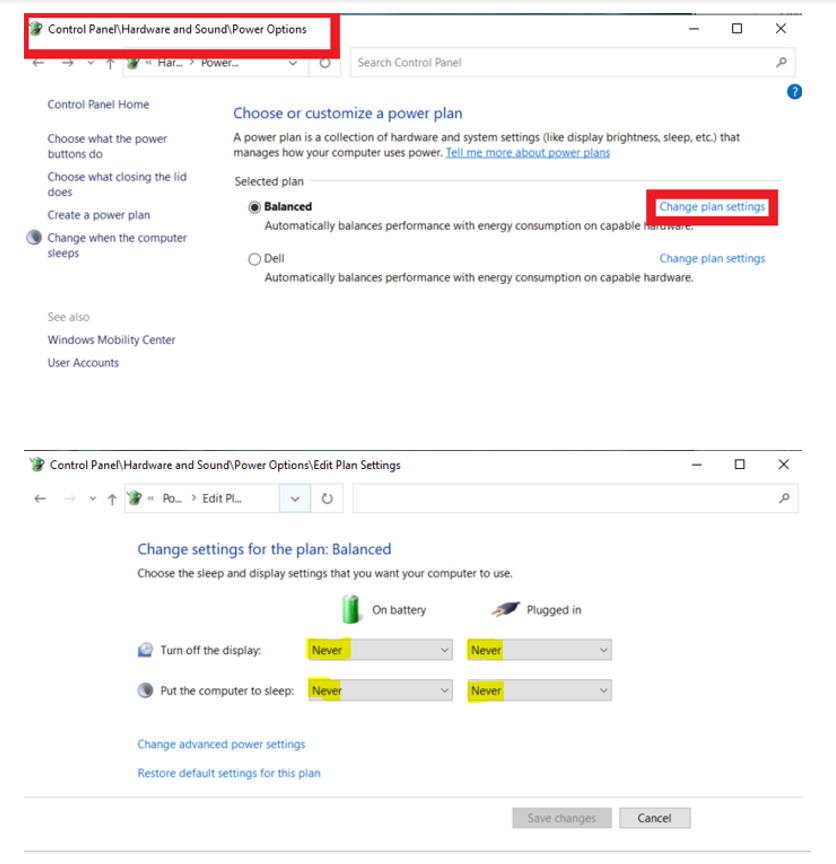
Browse to Control Panel > Hardware and Sound > Power Options
or
Paste Control Panel\Hardware and Sound\Power Options in File Explorer's address bar and hit enter.
- Choose Balanced and click the Change plan settings link.
- Select the desired time values.
- Click Save changes.
0 Comments