
This article pertains to users who use Microsoft Outlook. Applies to Microsoft Outlook (most desktop versions) and DOES NOT apply to o users who use Outlook web mail.
If Microsoft Outlook is stuck at "Processing" and fails to open. Following the below instructions may help.
- Open Windows Task Manger and the Microsoft Outlook task.
- On your keyboard hold down the Control key and the Alt key, while you tap the Delete key
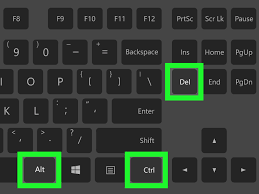
- Click Task Manager
- Locate Microsoft Outlook under the Processes tab. Select Microsoft Outlook, then right click Microsoft Outlook and you will see menu of commands. Select End task. Microsoft Outlook should now be closed.
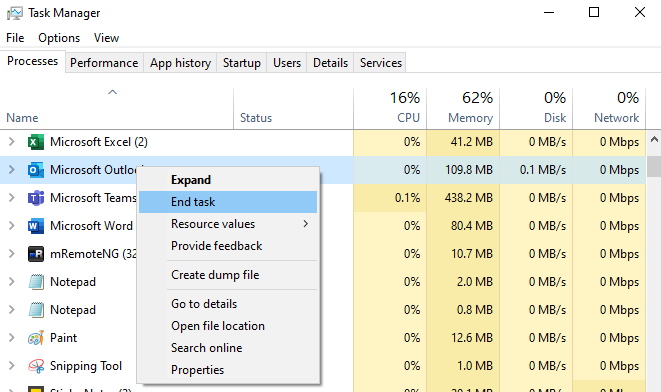
2. Now let's Open Microsoft Outlook in safe mode.
- In Windows 10, choose Start, type Outlook.exe /safe, and press Enter.
- In Windows 7, choose Start, and in the Search programs and files box, type Outlook /safe, and then press Enter.
- After Microsoft Outlook (safe mode) fully loads. Close it and then re-launch normal Microsoft Outlook.
0 Comments