
Setting up your new voicemail greeting is simple - let's get started.
Start by picking up the handset and pressing the voicemail button on the phone. It looks like this;

Attribution: Google Inc.
NOTE: If you're using the softphone, go to Voicemail and click Call Voicemail.
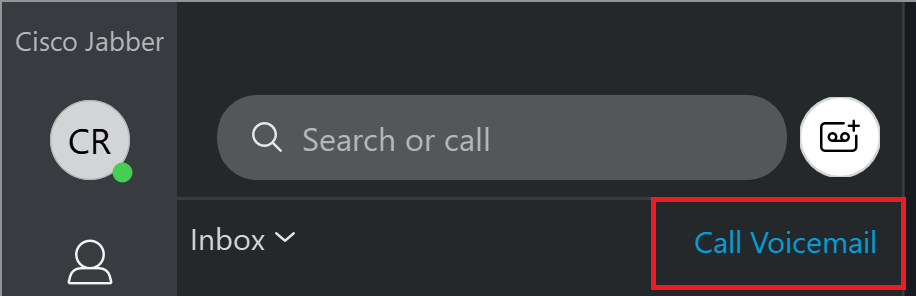
Once you've clicked that button, it will call the voicemail mailbox system. It will ask you for a pin - your pin is 54321.
After this, it will take you through prompts to finish setting up your mailbox. Follow along to record your name, greeting, and you're done!
*Note: when it asks if you would like to change your directory listing, press no. You should already be in the directory.*

1 Comments